Features
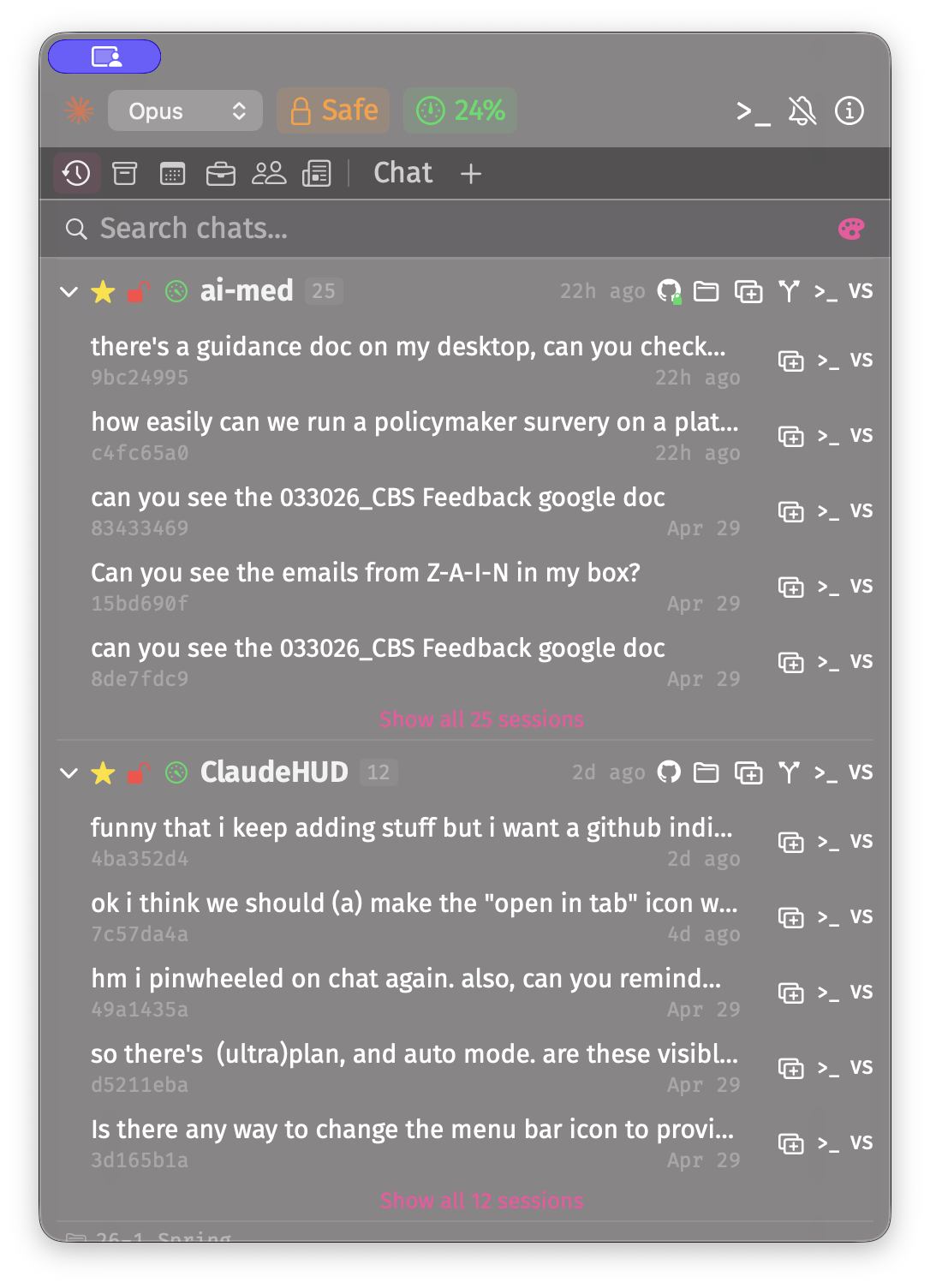
- Session history Browse all past Claude Code sessions across every project. Launch new sessions or resume old ones with one click. Per-project star/pin — remembered across launches.
- Obsidian notes Browse and preview your Obsidian vault directly in the app. Multi-vault support, folder tree, search, floating note windows with edit/preview toggle, interactive checkboxes, wikilinks, images, and auto-save.
- Terminal integration Launch your preferred terminal from the header. Ghostty, iTerm2, and Terminal.app auto-execute commands; others copy to clipboard. Long-press to switch terminals.
- Model switching Switch between Sonnet, Haiku, and Opus on the fly via the header picker. Choose the right model for the task.
- Push notifications Desktop banners and mobile push via ntfy.sh. Get notified on iPhone and Apple Watch when Claude needs attention. Hook scripts auto-installed.
- Rich markdown Headings, fenced code blocks, tables, ordered and unordered lists, task lists, blockquotes, GitHub alerts, and horizontal rules — all rendered natively in SwiftUI.
- KaTeX math Display math blocks rendered with KaTeX for publication-quality equations. Inline math uses Unicode conversion.
- Tool calls See what tools Claude is using in real time. Expandable cards show arguments, results, and completion status.
- MCP servers Connects to any MCP servers configured in your Claude environment. Custom tools and integrations work seamlessly.
- Info panel Click the (i) icon in the header for a quick setup guide and dependency status checks.
Permission Modes
Control how much autonomy Claude has, switchable at any time from the header.
Plan
Claude proposes a plan and asks before taking any action.
Safe
Claude reads freely but asks permission for Bash commands.
Unsafe
No permission checks. Claude runs any command without asking.
Getting Started
- ✓ macOS 14.0 or later
- ✓ Claude CLI installed
- ✓ Python 3 (for permission hooks)
- ○ Fira Sans & Fira Code fonts (optional)
- ○ Obsidian (for the notes tab)
# Clone, generate project, and build
git clone https://github.com/bbdaniels/ClaudeHUD.git
cd ClaudeHUD
brew install xcodegen
xcodegen generate
xcodebuild -scheme ClaudeHUD -configuration Release build

# Or just open in Xcode
open ClaudeHUD.xcodeproj
Note on code signing: The app is ad-hoc signed, so macOS Gatekeeper may show a warning on first launch. Right-click the app and choose "Open" to bypass, or build from source.
Mobile Notifications
ClaudeHUD can push notifications to your iPhone and Apple Watch via ntfy.sh (free, no account required).
- 1 Install the ntfy app on your iPhone
- 2 Subscribe to a topic name of your choice (e.g.
claude-myname) - 3 In ClaudeHUD, click the bell icon, enable Mobile, and paste the same topic name
- 4 Click "Test notification" to verify
Notifications fire when Claude asks a question or requests permission, showing the actual question or command description.
Architecture
ClaudeHUD/
  App/
    ClaudeHUDApp.swift          # App entry, menu bar setup
    AppState.swift              # Global state, services
  Claude/
    TabManager.swift            # HUD terminal tabs
    TerminalSession.swift       # Ghostty surface owner
  Models/
    NoteFile.swift              # Obsidian file tree model
    VaultSettings.swift         # Vault config, bookmarks
  Views/
    HUDPanel/
      HUDPanelController.swift  # NSPanel floating window
      HUDContentView.swift      # Main layout, tabs, history, info
    Shared/
      MarkdownBlocks.swift      # Markdown renderers + KaTeX
    Obsidian/
      ObsidianBrowserView.swift # Vault browser, search, file tree
      ObsidianMarkdownView.swift # Extended markdown renderer
      NoteContentView.swift     # Edit/preview note windows
  Services/
    VaultManager.swift          # Obsidian vault state
    SessionHistoryService.swift # Scan past sessions
    TerminalService.swift       # Terminal detection + launch
    PushNotificationManager.swift # Desktop + mobile notifications